

Tag Leader Settings
Control the appearance, style, and spacing of leader lines in the Tag Leader Settings tab:
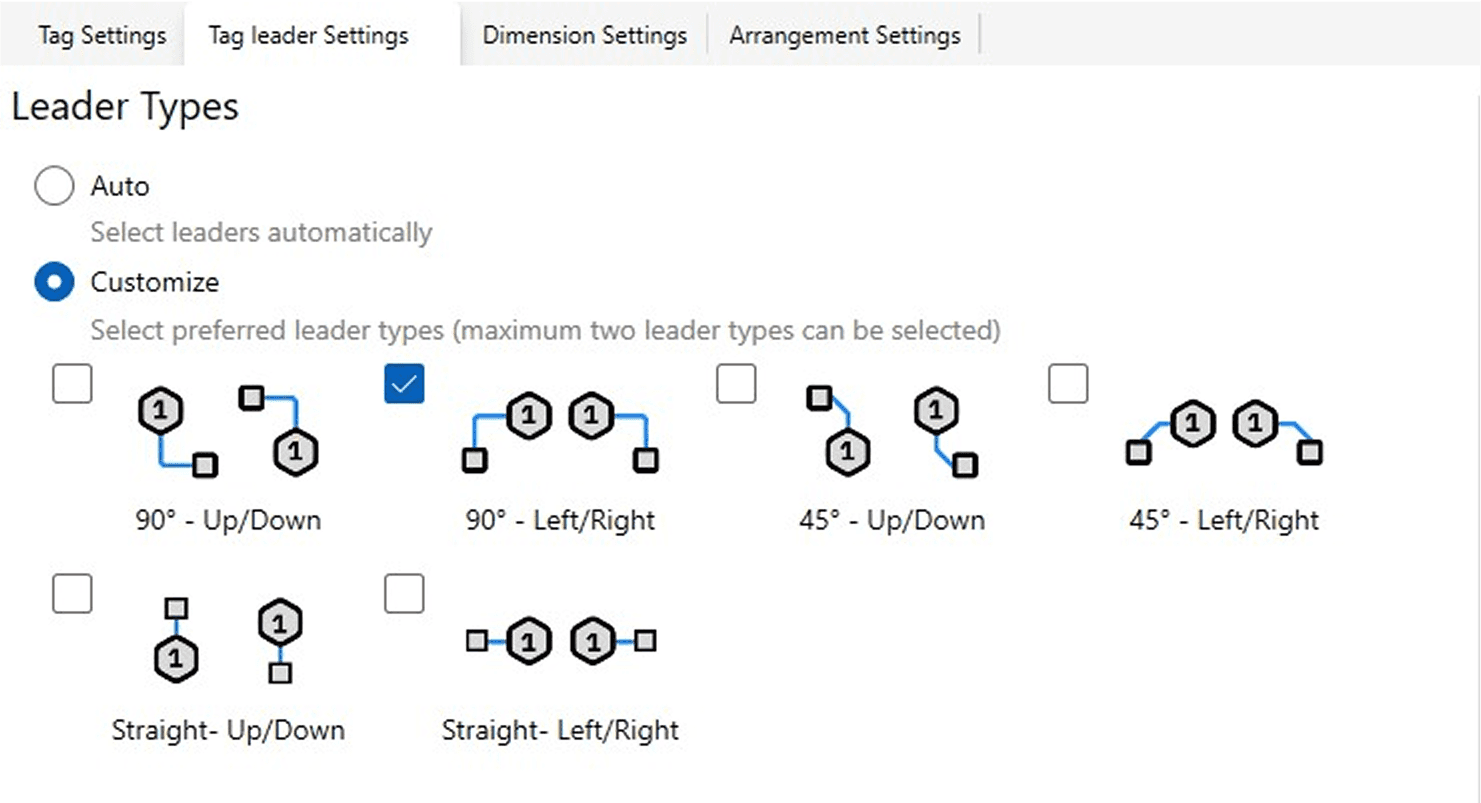
Click the Tag Leader Settings tab at the top of the Settings window.
Choose a Leader Selection Mode:
Auto (Recommended): Smart Annotation decides when to use leader lines based on spatial constraints.
Customize: Manually select leader types.
If Customize is selected, choose up to two preferred leader types:
Adjust leader style, length, and other properties as needed.
Options include:
Always show leader lines.
Never use leader lines.
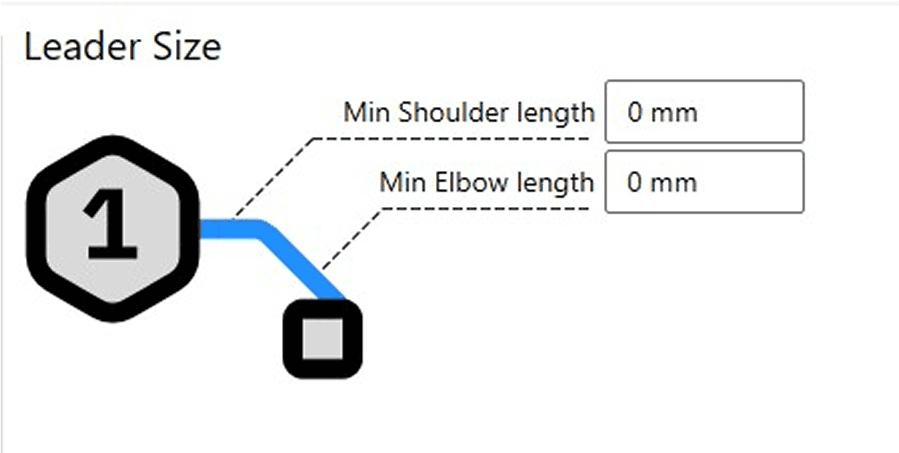
Leader lines clarify the relationship between tags and their host elements, especially in dense views.
