All updates MONTHLY RECAP

May 2026

8 updates shipped to Argus this month — here's the full recap.

8 updates shipped
4 areas improved
Integrations 3 Commands 2 Assistant 2 Files & docs 1
EVERYTHING SHIPPED

All 8 updates from May 2026

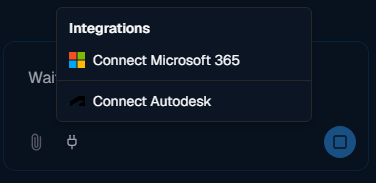
Argus integrations menu with Connect Microsoft 365 and Connect Autodesk options
Integrations May 29

Autodesk Construction Cloud & Platform Services integration

Argus connects to Autodesk Platform Services / ACC, including a recursive project folder search with wildcard patterns. You can pull documents and data straight from your cloud project into the assistant.

#acc#aps#integration
Commands May 26

Share commands publicly with your team

Publish commands publicly so your whole team can reuse them, and edit any command straight from the chat. Automation built by one person becomes available to everyone.

#commands#sharing#collaboration
Assistant May 16

On-demand Skills framework

Argus now loads specialized skills only when a task needs them, replacing the old manual agent-mode toggle. The assistant automatically brings in the right expertise — dimensioning, tagging, retail layouts, and more — without you switching modes.

#skills#assistant
Files & docs May 15

Attach files to your chat

Attach files directly to a conversation so Argus can read and work with them — reference documents, data, and specs become usable inputs to any task.

#files#attachments#chat
Commands May 15

Shareable command collections

Organize saved commands into collections and share those collections with teammates, so teams can standardize on a common set of automations.

#commands#collections#sharing
Argus integrations menu with Connect Microsoft 365 and Connect Autodesk options
Integrations May 8

Microsoft 365 integration

Argus connects to Microsoft 365, letting it access and work with your organization's Microsoft cloud data and documents from inside Revit.

#m365#integration
Assistant May 6

Switch between assistants

An assistant switcher lets you pick the right specialized agent for the job and move between Argus modes without losing your place.

#assistant#interface

Want these updates working for your team?

Argus ships improvements like these every month — your workflows get faster without lifting a finger.